
A PostScript Printer Driver is a driver that outputs printing commands to a printer using a PostScript Page Description Language.
Open the file you want to print.
Load paper in the printer if it has not already been loaded.
Select Print or Print Setup from the File menu.
Select your printer.
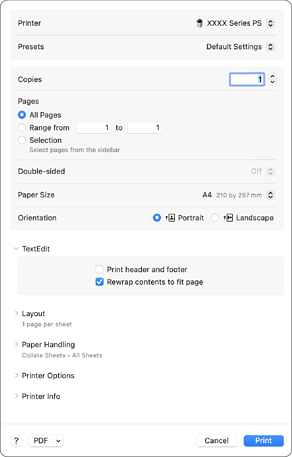
Change the settings as necessary.
See the menu options for the printer driver for details.
Click Print.