
You can print files from storage and add punch holes.
This feature is available with the optional booklet finisher and punch unit, or staple finisher and punch unit.
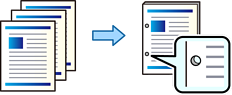
Adjust the data so that it is not printed at the punch position. If you punch on the printed area, it may cause a punch failure or paper jam.
Select Storage on the home screen.
Select the folder containing the file you want to print, and then select the file.
Select Print Settings.
Select the Basic Settings tab, and then select Finishing.
Select the location in Punch.
Tap  .
.