
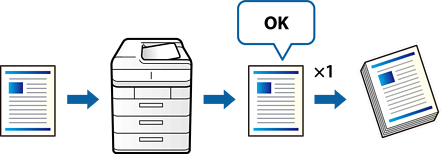
When making multiple copies, you can make only one copy first to check the results. After checking, you can select to continue copying the rest of the job or cancel the copying process. This helps prevent making too many miscopies.
Place the originals.
Select Copy on the home screen.
Select the Advanced tab, and then enable Proof Copy.
Set the number of copies.
Tap  .
.
Check the copy results, and then select whether to continue copying the rest of the job or finish without copying.