|
|
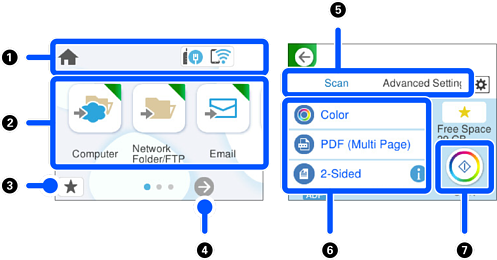
Indicates the scanner status as icons. Select the icon to check the current settings or access each setting menu. |
|
|
Displays each menu. |
|
|
Displays a list of your presets. You can load your presets and register new presets. |
|
|
Switch screens. |
|
|
Switch tabs. |
|
|
Displays the list of setting items. Select an item to change the settings. Grayed out items are not available. |
|
|
Starts scanning using current settings. |
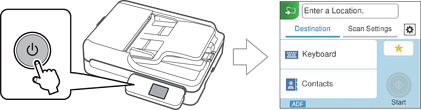
You can change the initial screen displayed when the scanner is turned on. Select the Settings menu on the home screen and make the settings in Start-up Screen.