
Do not place heavy objects on the scanner glass and do not press the glass with too much force. Otherwise, the scanner may be damaged.
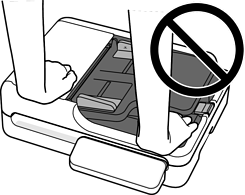
Do not open the document cover wider than an angle of 70 degrees. This could damage the hinge.
Remove the original when scanning is complete. If you leave the originals on the scanner glass for a long time, they may stick to the surface of the glass.
Always keep the scanner glass clean.
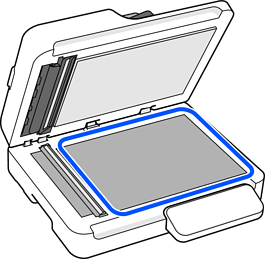
When there are originals in both the ADF and on the scanner glass, scanning from the ADF takes priority.
This applies when Document Source is set to Auto Detect if you are using Document Capture Pro/Document Capture or Epson Scan 2.