
You can scan both sides of an ID card and copy it onto one side of paper.
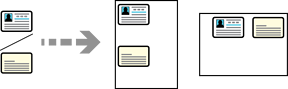
Place the originals.
Select Copy on the home screen.
Select the Advanced tab, select ID Card Copy, and then enable the setting.
Specify the Orientation (Original).
Tap  .
.
Follow the on-screen instructions to place the reverse side of the original.