
Follow the steps below if the Wi-Fi you are using is unstable, or if you want to change to a more stable USB connection.
Connect the printer to a computer using a USB cable.
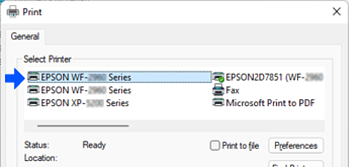
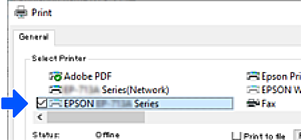
When you print, select the printer whose name does not end with "(Network)" or the printer name in parentheses.
Example of Windows 11
Example of Windows 10
If the printer is not recognized while it is connected to the computer by a USB cable, a printer administrator may have restricted the external interface connection. Contact your administrator.