Epson
 

    EP-C800 Series

    User's Guide

    > Solving Problems > Print Quality is Poor

    Print Quality is Poor

    •  Image
    •  List
      • Color Missing, Banding, or Unexpected Colors Appear in Printout

      • Colored Banding Appears at Intervals of Approximately 3.3 cm

      • Blurry Prints, Vertical Banding, or Misalignment

      • Printouts are Blank or Only Some Lines are Printed

      • Printed at an Angle

      • Paper Is Smeared or Scuffed

      • Printed Photos are Sticky

      • Images or Photos Contain Unexpected Colors

      • The Position, Size, or Margins of the Printout Are Incorrect

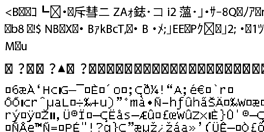
      • Printed Characters Are Incorrect or Garbled
      • The Printed Image Is Inverted

      • Mosaic-Like Patterns Appear in the Printout

      • Unintentionally Printing on 2-Sides

      • Printer Does Not Print Correctly While Using PostScript Printer Driver

      • Print Quality Is Poor While Using PostScript Printer Driver

      • Color Missing, Banding, or Unexpected Colors Appear in Printout

      • Colored Banding Appears at Intervals of Approximately 3.3 cm

      • Blurry Prints, Vertical Banding, or Misalignment

      • Printouts are Blank or Only Some Lines are Printed

      • Printed at an Angle

      • Paper Is Smeared or Scuffed

      • Printed Photos are Sticky

      • Images or Photos Contain Unexpected Colors

      • The Position, Size, or Margins of the Printout Are Incorrect

      • Printed Characters Are Incorrect or Garbled

      • The Printed Image Is Inverted

      • Mosaic-Like Patterns Appear in the Printout

      • Unintentionally Printing on 2-Sides

      • Printer Does Not Print Correctly While Using PostScript Printer Driver

      • Print Quality Is Poor While Using PostScript Printer Driver

    Print Selected Pages

    © 2025 Seiko Epson Corp.