
Scans both sides of an ID card and copies onto one side of a paper.
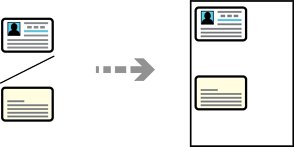
Place the original on the scanner glass.
Select Copy on the home screen.
To select an item, use the 


 buttons, and then press the OK button.
Select the Advanced Settings tab, and then enable ID Card Copy.
Specify the Orientation (Original), and then select OK.
Press the  button on the Copy tab.