
You can send faxes by entering fax numbers for recipients on the printer's control panel.
Place the originals.
You can send up to 100 pages in one transmission; however depending on the remaining amount of memory, you may not be able to send faxes even with less than 100 pages.
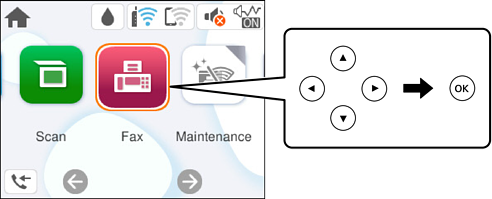
Select Fax on the printer's control panel.
To select an item, use the 


 buttons, and then press the OK button.
Specify the recipient.
Select the Fax Settings tab, and then make settings as necessary.
Press the  button on the Recipient tab to send the fax.
If the fax number is busy or there are some problems, the printer automatically redials after one minute.
To cancel sending, press the  button.
It takes longer to send a fax in color because the printer performs scanning and sending simultaneously. While the printer is sending a fax in color, you cannot use the other features.