Overview
Connecting to Xero
Exporting Data to Xero
Importing Items from Xero
Troubleshooting
Pressing the Scanner Button Does Not Start Scanning
Scanned Images are Not Cropped Correctly
Cannot Send to the Cloud Service
Cannot Access the Accounting Service
Cannot Import Invoice or Receipt Data
Cannot Send My Invoice and Receipt Data to Xero
Scanning Speed is Slow
Files are Named with an Old Date
The License Key is Disabled
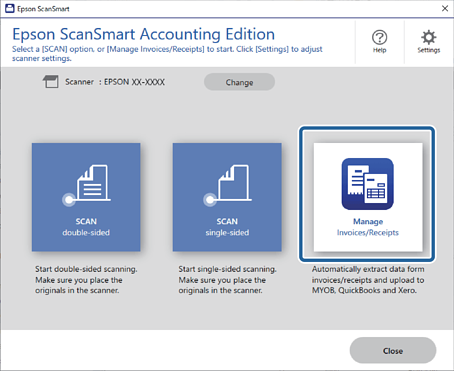
1Open Epson ScanSmart and then click Manage to launch Invoice/Receipt Manager.
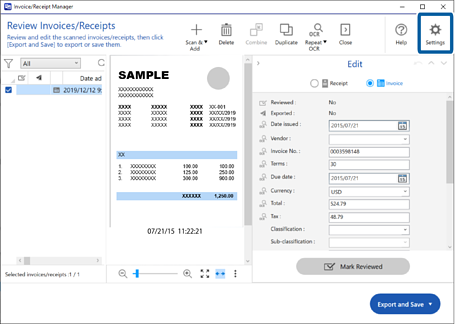
2Click Settings.
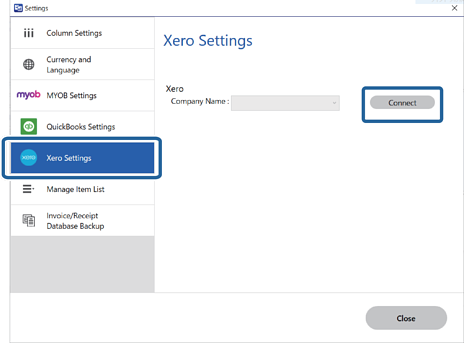
3Click Xero Settings > Connect.
Your web browser opens, and the Xero login screen is displayed.
4Follow the instructions on the web browser and return to the application.
5Select your company, and then click Close.
Your Xero account has been connected to Epson ScanSmart.


 Home
Home