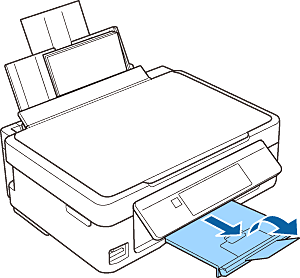
Loading Paper
1 Make sure the home screen is displayed on the printer's screen. Open the feeder guard, extend the paper support, and then tilt it backward.
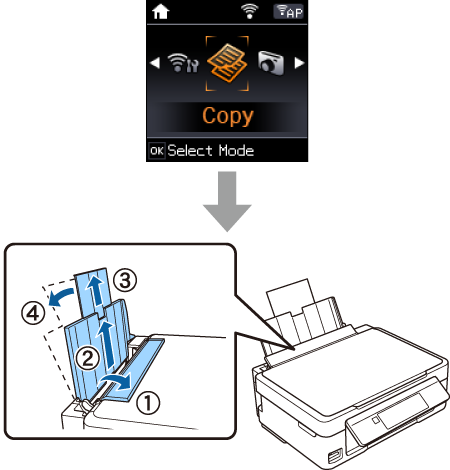
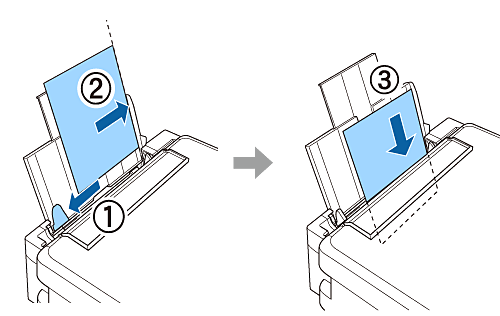
2 Load A4 size plain paper vertically along the right side of the sheet feeder with the printable side facing up.
|
The paper setup screen is not displayed if the paper is not loaded along the right side of the sheet feeder. An error occurs when you start printing. |
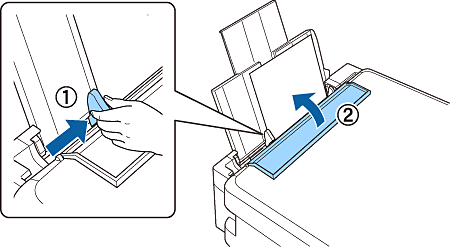
3 Slide the edge guide to the edge of the paper, and then close the feeder guard.
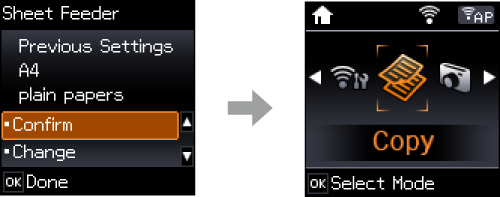
4 On the printer's screen, check that A4 is selected as a paper size and plain papers is selected as a paper type. Then press the OK button.
5 Pull out the output tray.