Installing Ink Cartridges
1 When instructed to install the ink cartridges, open the scanner unit.
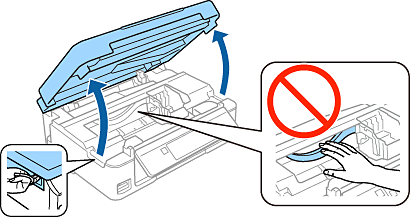
|
Do not touch the white cable inside the printer. |
2 Gently shake only the BLACK cartridge four or five times. Do not shake the other cartridges. Remove all ink cartridges from their packages.

|
|
3 Remove only the yellow tape from the cartridges.

4 Insert the ink cartridge and press it down firmly. Repeat this step to insert all ink cartridges.
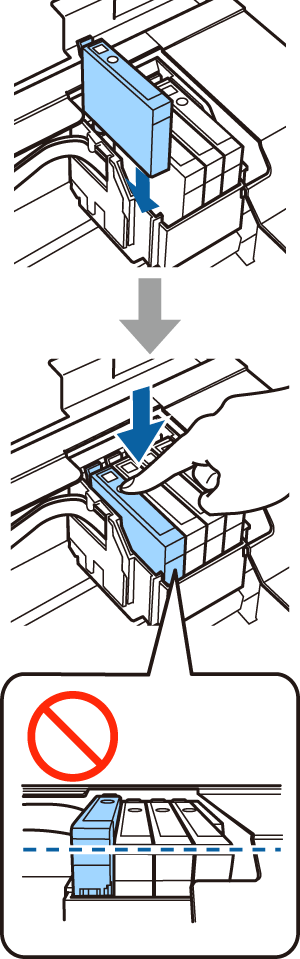
|
Make sure all the cartridges are aligned. |
5 Close the scanner unit slowly.
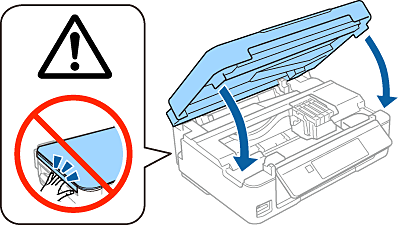
6
Press the  button on the printer to start charging the ink. Go straight to the next step. It is not necessary to wait for the ink to
finish charging.
button on the printer to start charging the ink. Go straight to the next step. It is not necessary to wait for the ink to
finish charging.
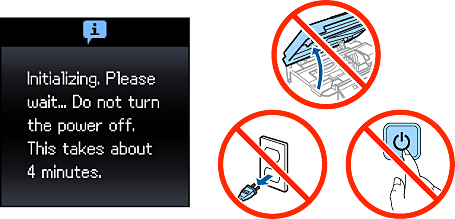
|
|