
Do not load paper in the rear paper feed slot until the printer prompts you to do so. If you load paper too early, blank paper will be ejected.
Do one of the following.
 .
.
A message is displayed on the control panel telling you that the printer is preparing, and then you are instructed to load paper.
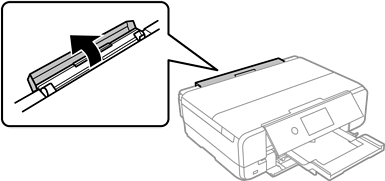
Open the rear paper feed slot cover.
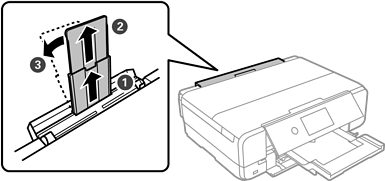
Extend the paper support and tilt it back until it is fixed in place.
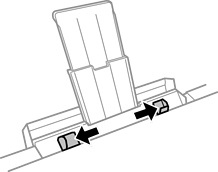
Slide out the edge guides.
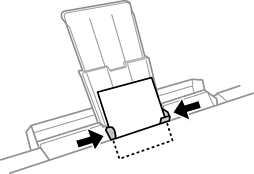
Load a single sheet of paper at the center of the rear paper feed slot with the printable side facing up, and then insert it approximately 5 cm (2 in.) into the printer.
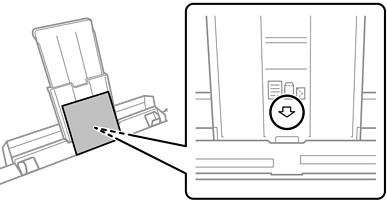
Slide the edge guides to the edges of the paper.
Tap to start printing.