首頁 > 透過您的Windows®電腦使用標籤機 > 下載Windows電腦的標籤機驅動程式和Epson軟體
下載Windows電腦的標籤機驅動程式和Epson軟體
要從您的電腦使用標籤機,必須裝有下列軟體。
-
標籤機驅動程式
-
Label Editor (標籤編輯軟體)
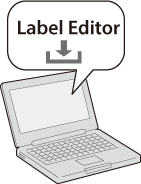
下載「Label Editor」,其中附有標籤機驅動程式。
請從https://www.epson.com進入您當地的Epson網站。然後搜尋「Label Editor」。
執行Label Editor中的「SetUp.exe」,按照畫面上的指示,即可同時安裝Label Editor和標籤機驅動程式。
 備註 備註如欲了解Label Editor的詳細使用方式,請參閱點選Label Editor的[說明]之後顯示的「線上手冊」。 |
首頁 > 透過您的Windows®電腦使用標籤機 > 下載Windows電腦的標籤機驅動程式和Epson軟體
下載Windows電腦的標籤機驅動程式和Epson軟體
要從您的電腦使用標籤機,必須裝有下列軟體。
-
標籤機驅動程式
-
Label Editor (標籤編輯軟體)
下載「Label Editor」,其中附有標籤機驅動程式。
請從https://www.epson.com進入您當地的Epson網站。然後搜尋「Label Editor」。
執行Label Editor中的「SetUp.exe」,按照畫面上的指示,即可同時安裝Label Editor和標籤機驅動程式。
|
備註 如欲了解Label Editor的詳細使用方式,請參閱點選Label Editor的[說明]之後顯示的「線上手冊」。 |