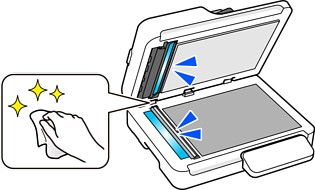
This scanner can detect dirt on the glass surface of the ADF (the scanning sensor), and notify you that you need to clean the glass surface before dirt can cause lines (streaks) in the scanned images.
The location of any dirt is displayed on the scanner's touch screen, making it easy to identify where cleaning is needed.
You can easily keep the glass surface clean, and avoid a decline in image quality.
This feature is off by default.
You can make settings from the scanner's touch screen or from a computer.