Changing the File Name Settings
You can change the file naming method.
-
1Click  Settings in the Epson ScanSmart window.
-
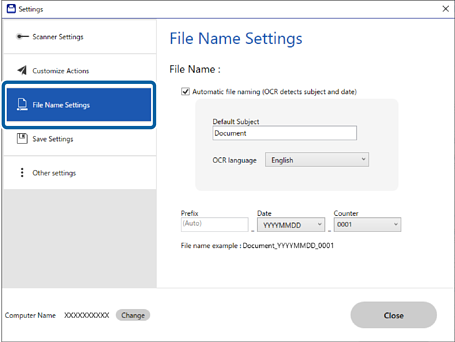
2Click the File Name Settings tab.
-
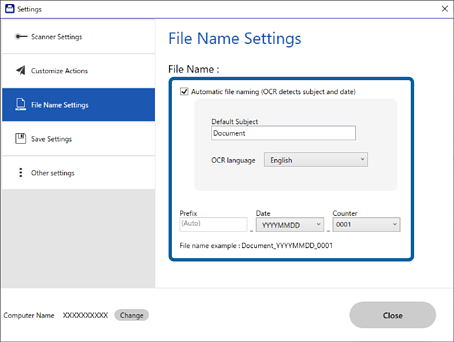
3Check or change the settings as necessary.
Select Automatic file naming (OCR detects subject and date) to enter the file name automatically.
Note:
-
This feature is only available for specific model.
-
Default Subject is used when no text is detected from the scanned image.
-
Prefix displays whether the data is a receipt, invoice, or contract from the scanned image and also the history of the file name.
-
Date detects information from the date of the scanned image. If there is no date information, the scanned date is displayed.


 Home
Home