Before Using the Product
Part Names
Setup
Basic Operations
Cleaning
Troubleshooting
Appendix
Top > Setup > Drawing Out the Cable
Drawing Out the Cable
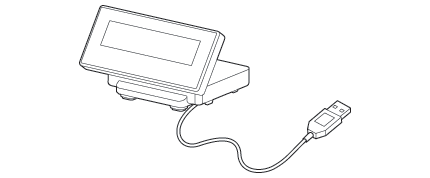
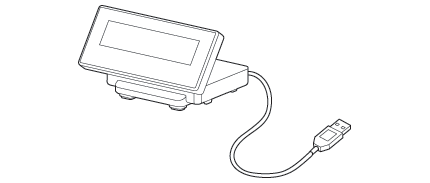
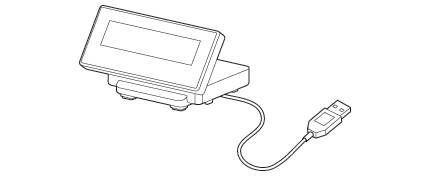
You can draw out the USB cable from the front, the back, or the side.
 CAUTION:
Be sure to turn off the power on the printer when connecting USB cable to the printer.
 Note:
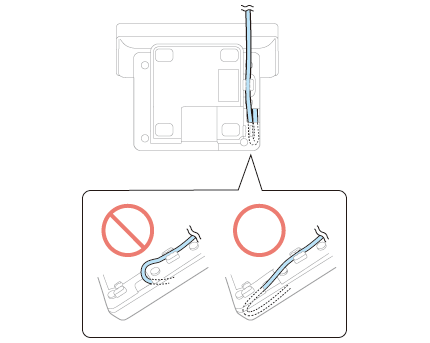
Note:If you draw the cable from the front, fold the cable back inside the hollow of the stand, and then secure the cable as shown in the illustration, so that it does not become loose.
Before Using the Product
Part Names
Setup
Basic Operations
Cleaning
Troubleshooting
Appendix
Top > Setup > Drawing Out the Cable
Drawing Out the Cable
You can draw out the USB cable from the front, the back, or the side.
CAUTION:Be sure to turn off the power on the printer when connecting USB cable to the printer.
Note:If you draw the cable from the front, fold the cable back inside the hollow of the stand, and then secure the cable as shown in the illustration, so that it does not become loose.