-
-
-
-
-
-
Network Service and Software Information
-
Application for Scanning Documents and Images (Epson Scan 2)
-
Application for Configuring Scanning Operations from the Control Panel (Epson Event Manager)
-
Application for Configuring Fax Operations and Sending Faxes (FAX Utility)
-
Application for Quick and Fun Printing from a Computer (Epson Photo+)
-
Application for Easily Operating the Printer from a Smart device (Epson Smart Panel)
-
Application for Updating Software and Firmware (EPSON Software Updater)
-
Application for Setting up the Device on a Network (EpsonNet Config)
-
-
-
Copying
-
Load paper in the printer.
-
Place the originals.
-
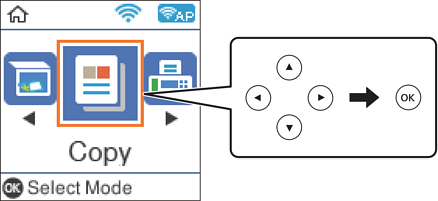
Select Copy on the home screen.
To select an item, use the


 buttons, and then press the
OK button.
buttons, and then press the
OK button.
-
Set the number of copies.
-
Select color copy or monochrome copy.
-
Press the OK button to display and check the print settings. To change the settings, press the
button, select the setting items and change settings. When you have finished, press the OK button.
Note:If you want to copy by reducing or enlarging the size of a document by a specific percentage, select any item other than Auto Fit as the Reduce/Enlarge setting. Specify a percentage in Custom Size.
-
Press the
 button.
