-
-
-
-
-
-
Network Service and Software Information
-
Application for Scanning Documents and Images (Epson Scan 2)
-
Application for Configuring Scanning Operations from the Control Panel (Epson Event Manager)
-
Application for Configuring Fax Operations and Sending Faxes (FAX Utility)
-
Application for Quick and Fun Printing from a Computer (Epson Photo+)
-
Application for Easily Operating the Printer from a Smart device (Epson Smart Panel)
-
Application for Updating Software and Firmware (EPSON Software Updater)
-
Application for Setting up the Device on a Network (EpsonNet Config)
-
-
-
Receiving Faxes on the Printer
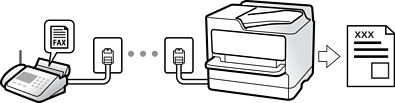
If the printer is connected to the phone line and basic settings have been completed using the Fax Setting Wizard, you can receive faxes.
There are two ways of receiving faxes.
-
Receiving an incoming fax
-
Receiving a fax by making a call (Polling Receive)
Received faxes are printed in the printer's initial settings.
To check the status of the fax settings, you can print a Fax Settings List by selecting Fax >Menu>More> Fax Report > Fax Settings List.
See "Related Information" below to make settings.
