Connecting to Xero
-
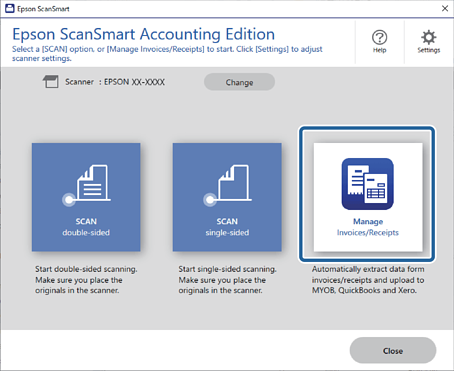
Open Epson ScanSmart and then click Manage to launch Invoice/Receipt Manager.
-
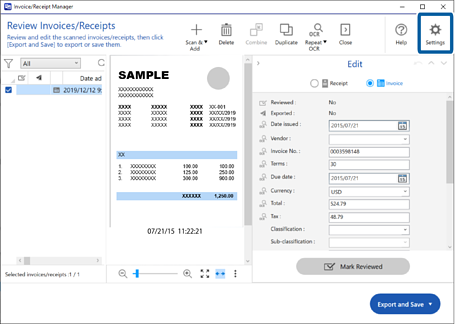
Click
 Settings.
-
Click Xero Settings > Connect.
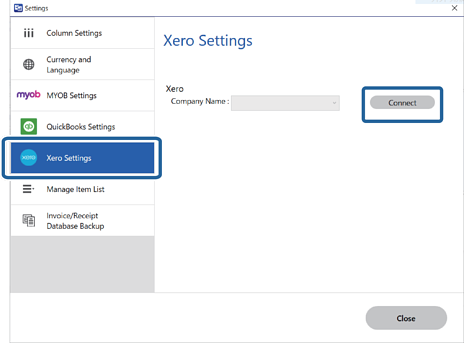
Your web browser opens, and the Xero login screen is displayed.
-
Follow the instructions on the web browser and return to the application.
-
Select your company, and then click Close.

Your Xero account has been connected to Epson ScanSmart.