-
-
-
-
-
-
Network Service and Software Information
-
Application for Scanning Documents and Images (Epson Scan 2)
-
Application for Configuring Scanning Operations from the Control Panel (Epson Event Manager)
-
Application for Quick and Fun Printing from a Computer (Epson Photo+)
-
Application for Easily Operating the Printer from a Smart device (Epson Smart Panel)
-
Application for Updating Software and Firmware (EPSON Software Updater)
-
-
-
Scanning Using WSD
-
This feature is only available for computers running Windows 10/Windows 8.1/Windows 8/Windows 7/Windows Vista.
-
If you are using Windows 7/Windows Vista, you need to setup your computer in advance using this feature.
-
Place the originals.
-
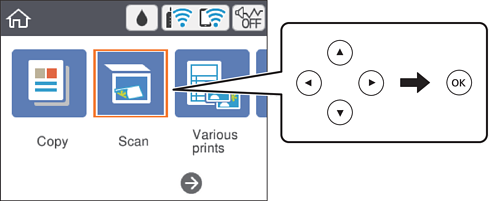
Select Scan on the home screen.
To select an item, use the


 buttons, and then press the
OK button.
buttons, and then press the
OK button.
-
Select WSD.
-
Select a computer.
-
Press the
 button.
Note:
button.
Note:The color, size, and border of the scanned image will not be exactly the same as the original.
