Before Using the Printer
Part Names and Functions
Setting Up
Preparing the power supplyInserting or removing tape cartridgeTurning the printer on and offFeeding the tape
Basic Operations
Useful Functions
Changing the font sizeChanging the fontApplying a font styleSpecifying the length of labelsChanging the layoutChanging the margins of labelsAdjusting the space between charactersLining up characters verticallyUsing mirror writing for the labelSaving frequently used labels
Creating a Label with a Special Form
Cleaning the Printer
Preference
Adjusting print densityChanging the battery type settingChanging display language and unit of length (inch/cm)
Troubleshooting
Product Specifications
Symbol, Accent Mark, Frame
Top > Symbol, Accent Mark, Frame > Frame
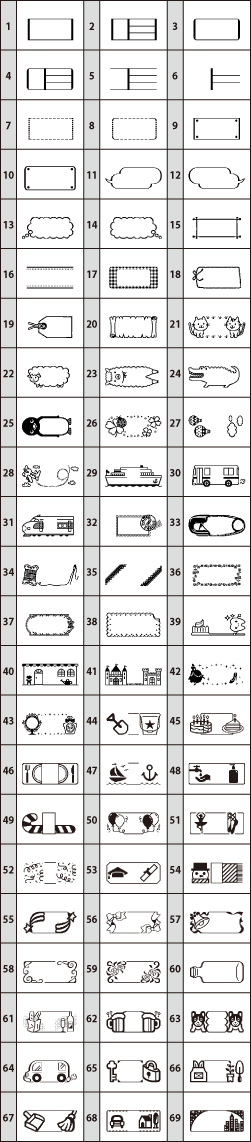
Frame
Before Using the Printer
Part Names and Functions
Setting Up
Preparing the power supplyInserting or removing tape cartridgeTurning the printer on and offFeeding the tape
Basic Operations
Useful Functions
Changing the font sizeChanging the fontApplying a font styleSpecifying the length of labelsChanging the layoutChanging the margins of labelsAdjusting the space between charactersLining up characters verticallyUsing mirror writing for the labelSaving frequently used labels
Creating a Label with a Special Form
Cleaning the Printer
Preference
Adjusting print densityChanging the battery type settingChanging display language and unit of length (inch/cm)
Troubleshooting
Product Specifications
Symbol, Accent Mark, Frame
Top > Symbol, Accent Mark, Frame > Frame
Frame