/
Tips for Using Epson FastFoto /
Enabling or Disabling Glass Surface Dirt Alert
Enabling or Disabling Glass Surface Dirt Alert
You can select whether or not to detect dirt on the glass surface inside the scanner.
Note:
Depending on the dirt, it may not be detected correctly.
-
Click Settings on the main screen.
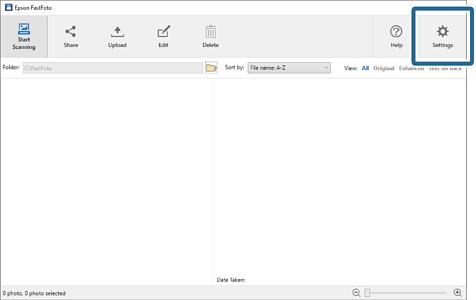
The Epson FastFoto Settings screen is displayed.
-
Click Device Settings on the Scanner Settings tab.
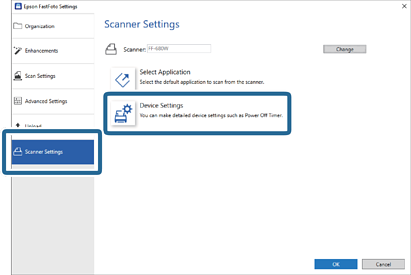
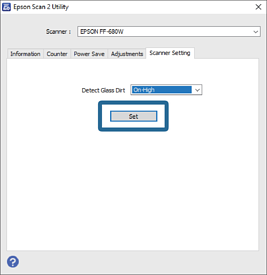
The Epson Scan 2 Utility screen is displayed.
-
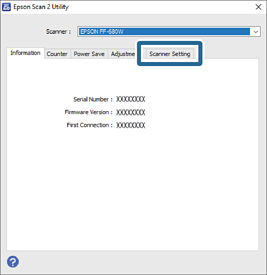
Select the Scanner Setting tab.
-
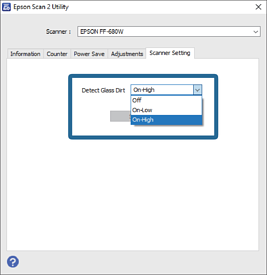
Under the Detect Glass Dirt dropdown menu, select On-Low or On-High.
If you want to disable the detection, select Off.
-
Click Set.
-
Close the Epson Scan 2 Utility screen.
