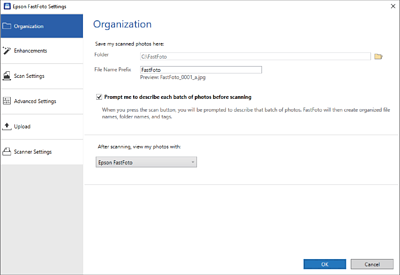
Organization Tab
You can change the folder save settings, file name settings, and more.
- Folder
-
Select the folder to save the scanned image.
- File Name Prefix
-
Enter the text you want to add at the beginning of the file name. This setting is useful if you do not set the file naming
settings on the Describe Your Photos screen before scanning.
- Prompt me to describe each batch of photos before scanning
-
Displays the Describe Your Photos screen before scanning.
- After scanning, view my photos with
-
Selects the application to view the scanned image after scanning.


 Home
Home