Advanced Settings Tab
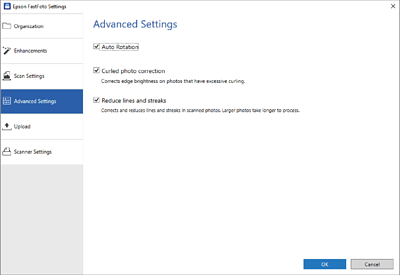
You can change the advanced scan settings, such as photo rotation, back side scanning, and more.
- Auto Rotation
-
Automatically detects the orientation of the photos, and rotates them in the correct direction. Depending on the photos, they
may not be rotated correctly.
- Curled photo correction
-
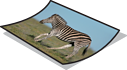
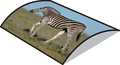
Corrects edge brightness for photos with curled edges. Refer to the table below to enable or disable this adjustment.
|
|
Photos curled to the backside
|
Enable adjustment
|
|
|
Photos curled to the printed surface
|
Disable adjustment
|
Depending on the photos, they may not be adjusted correctly.
- Reduce lines and streaks
-
Reduces the vertical lines or streaks of the scanned image caused by dirt on the glass surface inside the scanner.
If there is too much dirt on the scanner glass, lines and streaks may not be reduced correctly. Clean the scanner if a message
appears prompting you to do so.


 Home
Home