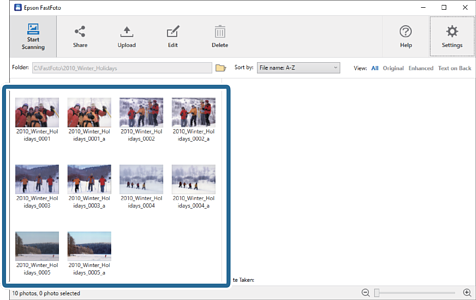
You can upload scanned photos to Dropbox or Google Drive.
Note:
Make sure the Dropbox application is installed on your computer before uploading.
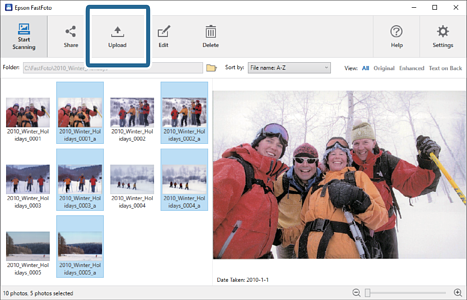
1Select the images you want to upload.
2Click Upload.
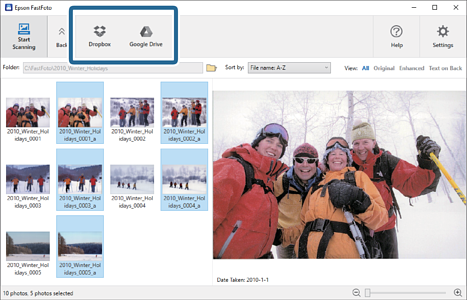
3Click one of the following.
Dropbox: Uploads images to your Dropbox folder.
Google Drive: Uploads images to Google Drive.
Note:
If you have not connected your Dropbox or Google Drive account with Epson FastFoto, you will be prompted to do so.
Note:
You can automatically upload the images immediately after scanning. Click Settings on the main screen, click the Upload tab, and then select the icon of the service you want to upload to.


 Home
Home