

Label Editor
Online Manual Select Languages
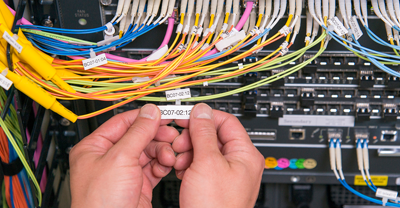
Saves you time for creating labels for wiring
By using the dedicated functions for punch blocks, patch panels, faceplates, and cable wrap labels, and also by using the automatic serialization function, you can create a large number of labels for wiring quickly and easily.
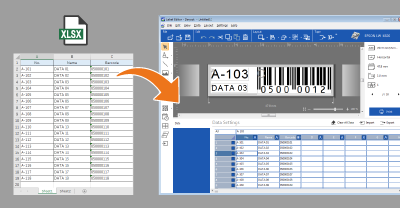
Allows you to import your Excel file
By importing an existing list of equipment, customers, etc. created by Excel or other application, you can print a large number of equipment management or address labels without entering the data manually.
As each label is automatically created by each row of the list, all you need to do is formatting the first label with the data in the first row.
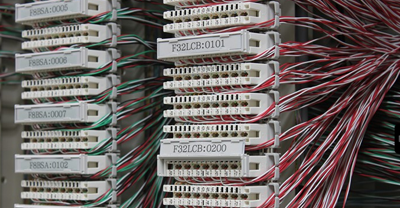
Easy to create a large number of serialized labels
The automatic serialization function is capable of incrementing an alphanumeric code in addition to simple numbering. Only by specifying a start value and how to increment it, you can easily print a large number of your custom serialized labels.
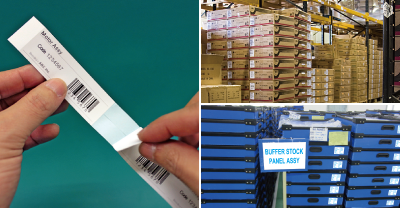
Easy to create serialized barcode or QR code labels
You can easily create a various types of barcode or QR code labels for equipment tagging, product labeling, and more. Because you can set automatic serialization to a barcode or QR code, it's also easy to create a large number of serialized barcode or QR code labels.
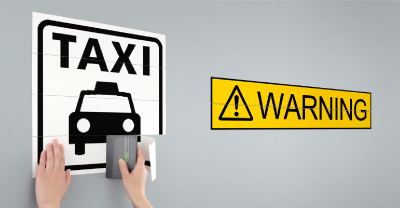
A large label can be created
You can print one label image on multiple labels, and create a large label by pasting the multiple pieces together. This is usable when you want to create hazard warning or other information labels to be used in a factory, construction site, nursing home, or hospital, where large letters are required.