Changing Registered Presets/Printers for Print Settings
You can change the presets for print settings available in Production Flow.
-
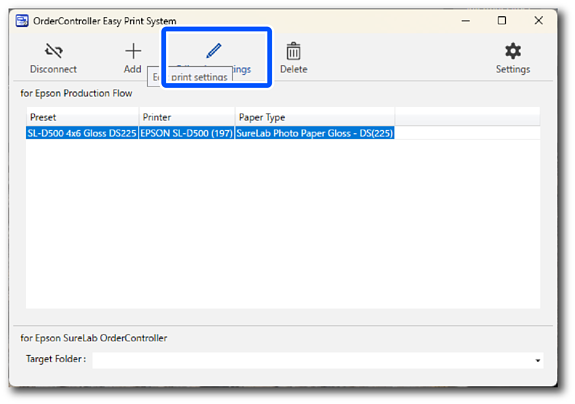
Select the print settings you want to change and click
 .
.
-
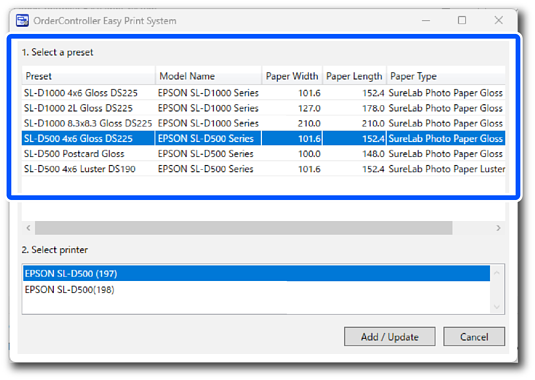
Click the preset you want to change.
 Note:
Note:The presets displayed meet both of the following conditions.
-
The printer registered in SureLab OrderController is supported
-
It is not registered in the OrderController Easy Print System
-
-
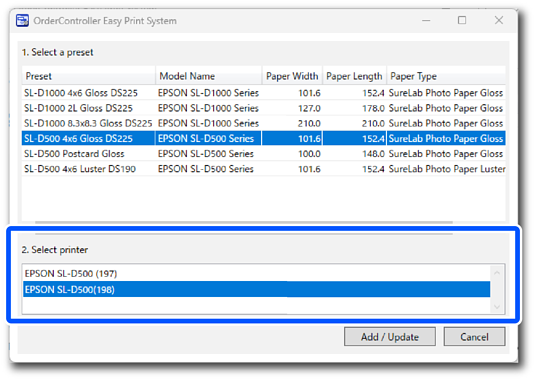
Click the printer you want to change.
-
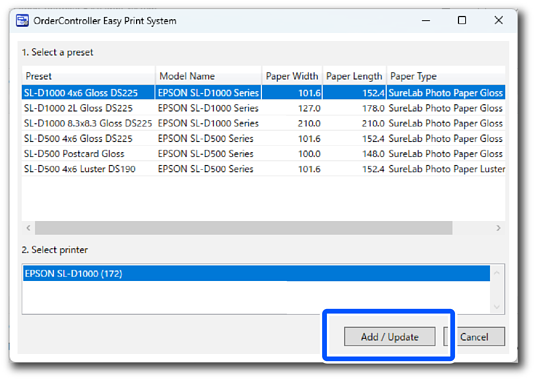
Tap Add / Update.
Important:The Add / Update button is enabled when a preset and a printer are selected.
This completes this procedure.
