/
Registering Items (Craft Admin) /
Optional Settings /
Setting item details /
Sorting into Categories
Sorting into Categories
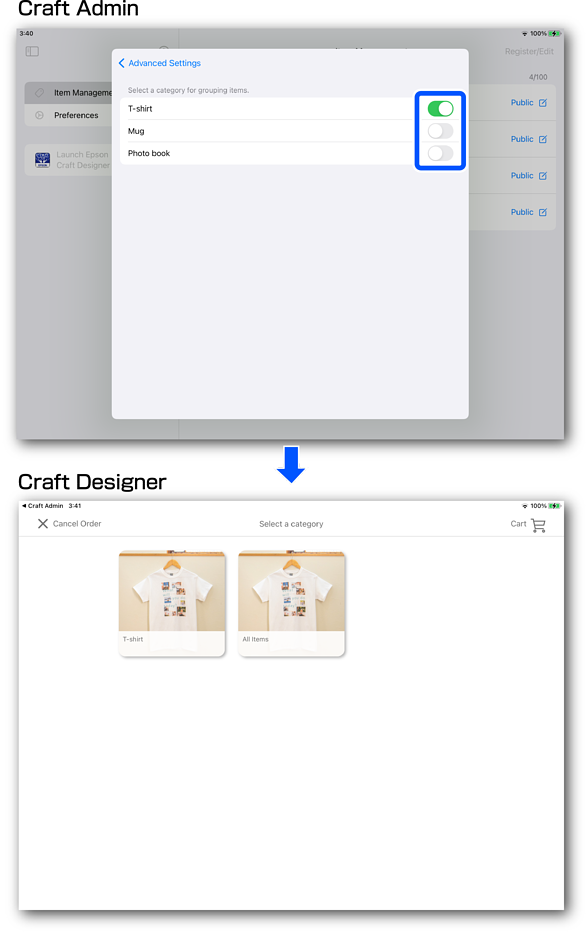
You can display items on the order screen by category, making it easier for customers to browse items.
Information set in Craft Admin is reflected in Craft Designer.
Note:
-
See the following for details on registering categories.
-
Examples of using categories
-
Sorting methods not linked to item types: popularity, sales, recommended, and so on
-
Sorting methods linked to item types: T-Shirt, Mug, and so on
-

-
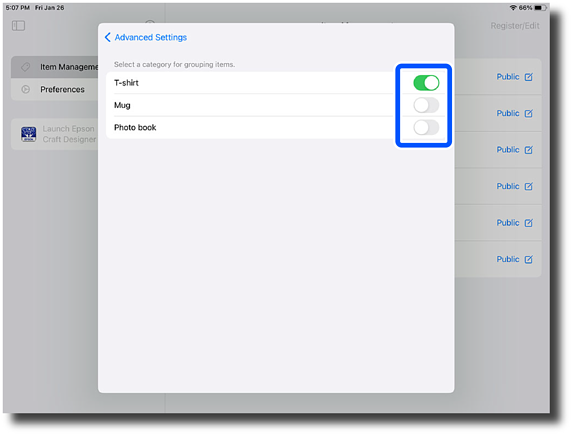
Tap the Settings button in Category to switch between enabled/disabled.
 Note:
Note:You can set multiple categories.
-
Tap Advanced Settings to return to the Create / Edit Item screen.
-
Start Craft Designer to reflect your changes.
This completes this procedure.
