Registering a Category
You can register a new Category to be displayed on the order screen.
-
Tap Create / Edit.
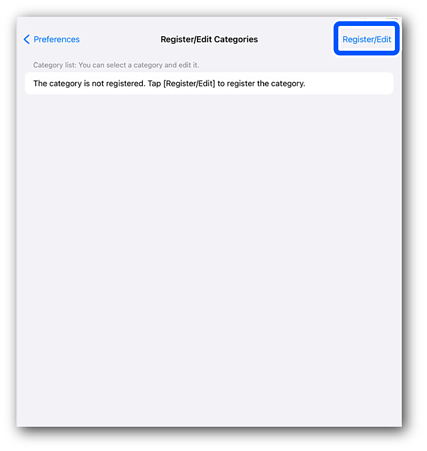
-
Tap Create a Category.
The Create / Edit Categories screen opens.
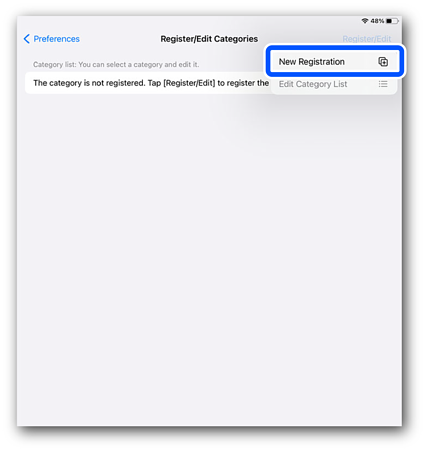
-
Tap Category Name.
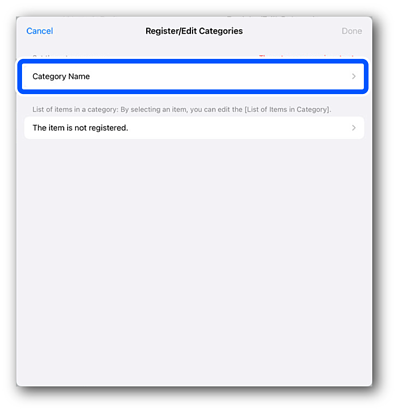
-
Enter a name to identify the category. You can enter up to 20 characters.
Important:You cannot enter a name that is the same as another Category Name or "All Items".
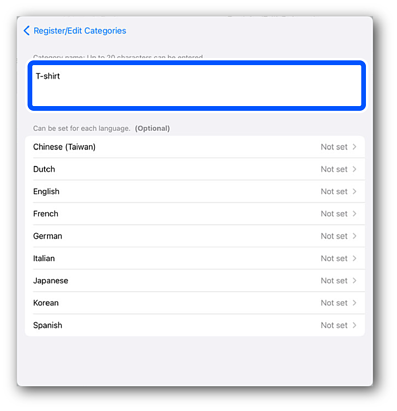 Note:
Note:If Category Name is set for each language, the settings made for each language take precedence.
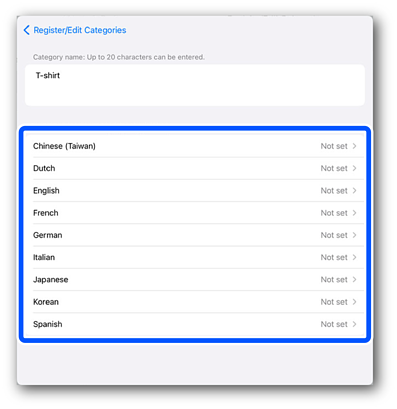
-
Tap Create / Edit Categories to return to the Create / Edit Categories screen.
-
Next, tap No items have been selected.
Important:If a Category is registered, tap the registered Category.
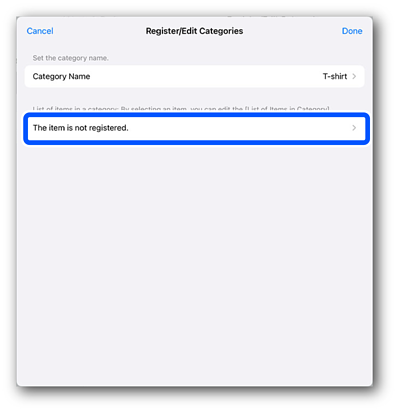
-
Tap the items you want to categorize in the Category.
Available Actions
Procedure
Adding Items to Category
Deleting Items from Category
Changing the Category Display Order
-
Tap Done.
-
Start Craft Designer to reflect your changes.

